
Inventory + LocationsBest fit: Starter
Stock and purchasing
Inventory, purchasing, and receiving in one operating loop
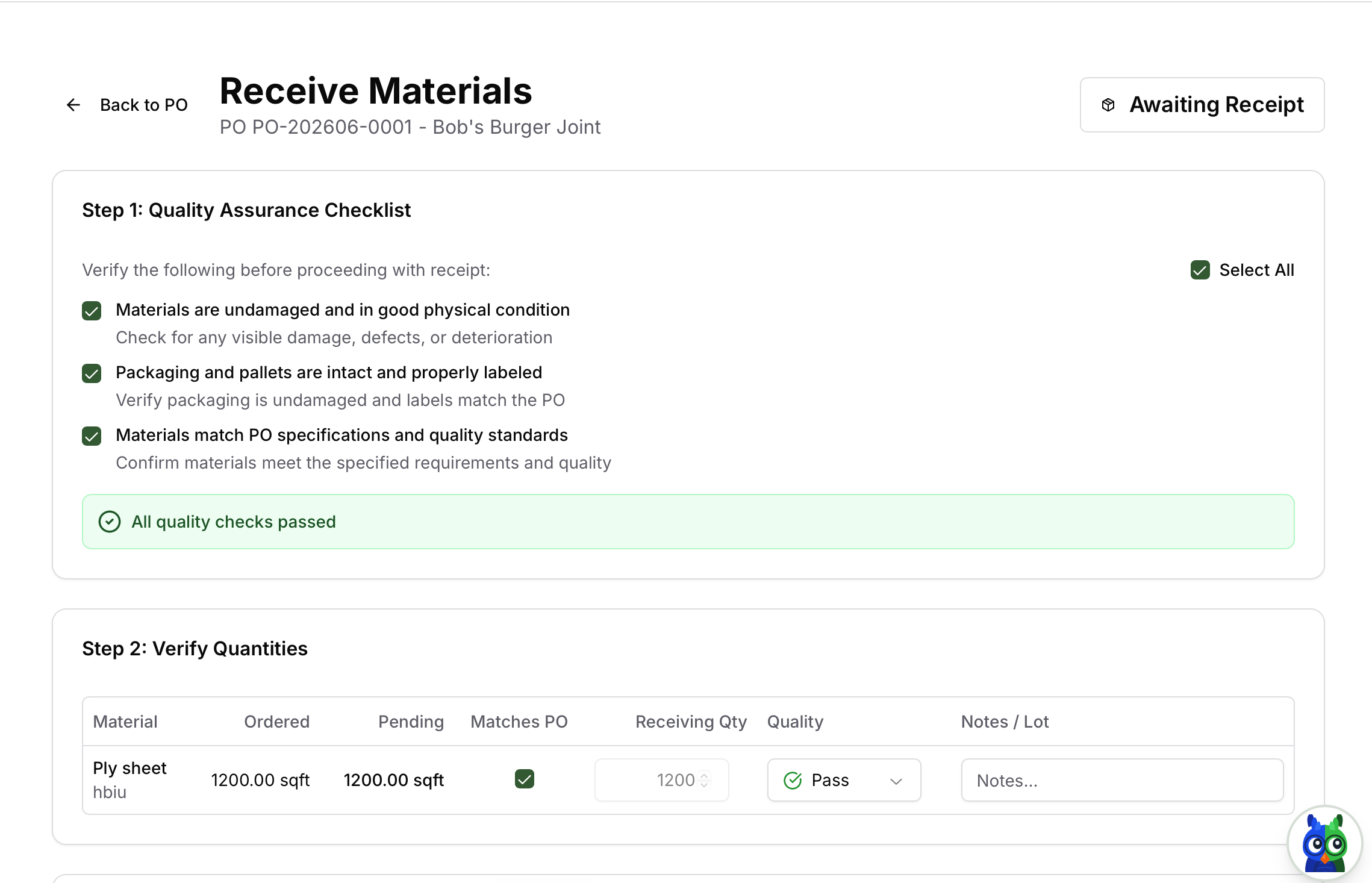
Track materials, finished goods, suppliers, purchase orders, receiving, and stock movements so buying decisions are tied to actual demand.
What improves
- check_circleConnects purchasing to production and order demand.
- check_circleReduces manual reconciliation after stock arrives.
- check_circleGives teams a practical route from low stock to PO to receipt.
How teams use it
- check_circleReceive materials against purchase orders line by line.
- check_circleTrack stock across raw materials, finished goods, and locations.
- check_circleUnderstand reorder needs before production is blocked.
AI examples
- check_circleWhich materials should I reorder for next week's production?
- check_circleFind received items that have not been matched cleanly.
- check_circleCreate a purchase order draft for low-stock materials.
Operating path
The value is in the connected handoff.
This page exists because the feature is not an isolated module. It earns its value when it moves work across teams, locations, systems, and customer commitments.
Step 1
Monitor stock
Step 2
Create purchase order
Step 3
Receive materials
Step 4
Update inventory
Step 5
Feed production
Purchase OrdersSuppliersInventoryProductionAccounts Payable
Related features
Keep exploring the workflow.
request_quote
Quotes and Invoices
Create polished quotes, convert accepted work into orders, and produce invoices without rebuilding customer, product, price, and delivery data.
account_treeFulfillment and Locations
Plan whether order lines should be picked from stock, made to order, split across locations, transferred, or dispatched from the site that can actually fulfill them.