
Agentic AI assistant
Oorini AI Chat for manufacturing operations
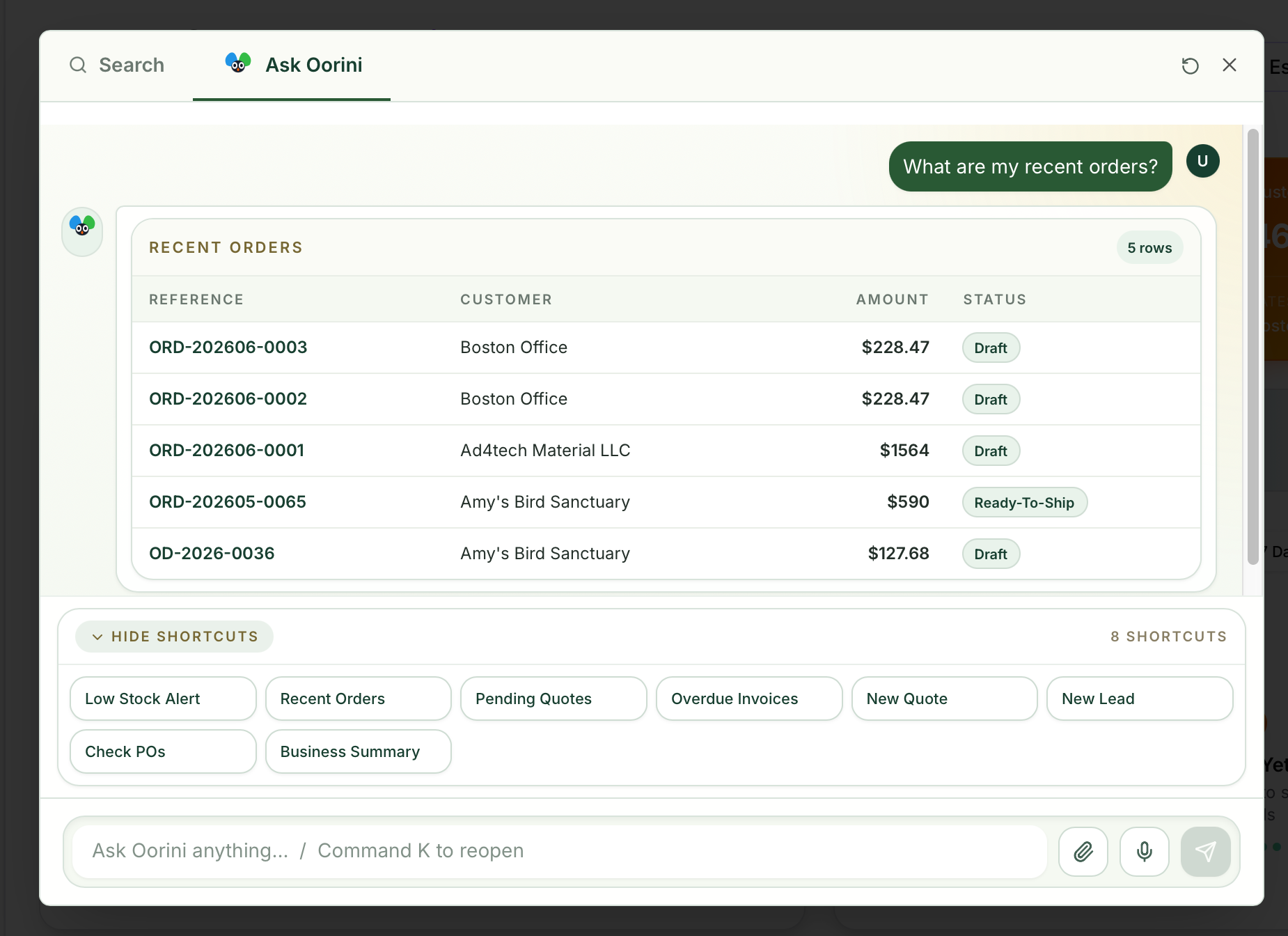
Ask Oorini what is happening across orders, production, inventory, CRM, invoices, and delivery, then move into the right screen with context already prepared.
What improves
- check_circleTurns scattered operating data into answers a manager can act on.
- check_circleReduces time spent opening five modules to understand one customer or job.
- check_circleKeeps AI grounded in Oorini workflows instead of generic chat responses.
How teams use it
- check_circleFind orders that are late, blocked, or waiting on materials.
- check_circleSummarize a customer's quote, order, invoice, and email history.
- check_circlePrepare quote, order, purchase order, or production job forms for review.
AI examples
- check_circleWhich orders are due this week and not ready for dispatch?
- check_circleCreate a quote draft for ABC Manufacturing for 250 units of the same product as last month.
- check_circleShow me customers with overdue invoices and draft a follow-up email.
Operating path
The value is in the connected handoff.
This page exists because the feature is not an isolated module. It earns its value when it moves work across teams, locations, systems, and customer commitments.
Ask a natural-language question
Review the grounded answer
Open or prefill the next action
Submit only after human review
Related features
Keep exploring the workflow.
Manufacturing Workflows
Build reusable production workflows with steps, machines, quality checks, expected wastage, custom fields, and parallel work instead of recreating the floor process every time.
account_treeFulfillment and Locations
Plan whether order lines should be picked from stock, made to order, split across locations, transferred, or dispatched from the site that can actually fulfill them.
factoryProduction Planning
Track jobs, stages, workers, outputs, delays, costs, and schedule pressure from the same operating system that created the order.